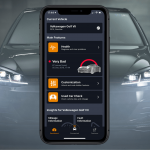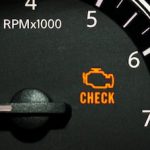
That dreaded glow on your dashboard – the Check Engine Light (CEL) – used to mean an immediate trip to the dealership. Today, thanks to standardized onboard diagnostics and powerful car diagnostics software, understanding your vehicle’s health is no longer locked behind expensive shop fees. Whether you are a home mechanic, a daily commuter tired of repair bills, or a small shop owner looking to streamline workflow, the right combination of an OBD2 scanner and professional vehicle diagnostic software puts real-time engine data directly in your hands.
But not all diagnostic tools are created equal. The market is flooded with cheap code readers that do little more than panic you with generic definitions. If you genuinely want to diagnose car health, prevent catastrophic failures, and make informed repair decisions, you need to understand what modern engine scanner technology can actually do. This guide will walk you through everything from OBD2 protocols and live data streams to choosing software that turns your laptop into a professional-grade automotive diagnostic tool.
What Is OBD2 and Why Does It Matter for Car Health?
On-Board Diagnostics II (OBD2) is the standardized system that monitors your vehicle’s powertrain, emissions systems, and critical sensors. Mandated in the United States for all 1996 and newer passenger vehicles—and adopted globally in subsequent years—OBD2 created a universal language between cars and diagnostic equipment.
Before 1996, every manufacturer used proprietary connectors and communication methods. A Ford required different equipment than a Toyota, making DIY diagnostics nearly impossible. The OBD2 standard unified the physical connector (the 16-pin D-shaped port under your dashboard), the communication protocols (including CAN, ISO, SAE J1850, and KWP2000), and the diagnostic trouble codes (DTCs) that trigger your Check Engine Light.
This standardization matters because it means a single piece of quality car diagnostic software, paired with a compatible interface, can communicate with virtually any gasoline or diesel vehicle built from 1996 onward. Your car’s Engine Control Unit (ECU) constantly runs tests on oxygen sensors, catalytic converters, evaporative emissions systems, fuel trim, and misfire detection. When a parameter falls outside acceptable limits, the ECU stores a code and often illuminates the CEL. Accessing that data is the first step toward diagnosing car health accurately rather than guessing.
Scanner Hardware vs. Diagnostic Software: Understanding the Difference
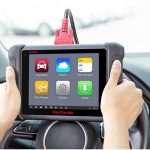
Walk into any auto parts store and you will find rows of handheld engine scanners. They range from $20 basic code readers to $500 standalone tablets. While these devices have their place, they represent only half of the diagnostic ecosystem. Understanding the difference between hardware and software is critical if you want professional results without professional prices.
Handheld Scanners are self-contained units. They plug into your OBD2 port, have a small screen, and can read and clear codes. High-end models may display limited live data or graphing. The downsides are significant: small screens make analyzing data streams frustrating, firmware updates are rare or nonexistent, storage for logged data is minimal, and advanced features like Mode 6 testing or ECU bi-directional controls are usually reserved for units costing thousands of dollars.
Car Diagnostics Software runs on your Windows laptop, tablet, or smartphone. Instead of relying on a manufacturer’s proprietary handheld computer, you use your own device’s processing power, memory, and display. This means you get large-screen graphing, robust data logging, printable health reports, and frequent software updates that expand vehicle coverage. The software connects to the vehicle via a low-cost hardware interface—commonly an ELM327 USB or Bluetooth adapter, or a professional J2534 pass-thru device.
The economics are compelling. A shop-grade handheld scan tool can cost $2,000–$5,000. A quality OBD2 interface costs less than a tank of gas, and the software provides a diagnostic depth that rivals dealership equipment. For diagnosing intermittent issues, analyzing fuel trim over time, or preparing a used car for sale with a full health report, software-based solutions are simply superior.
What Modern Vehicle Diagnostic Software Actually Does
If you are evaluating car diagnostic software for your personal garage or business, you need to look beyond the ability to read codes. A true diagnostic suite functions as a complete car health monitor. Here are the core capabilities that separate professional tools from toy code readers.
Reading and Interpreting Diagnostic Trouble Codes (DTCs)
At its foundation, the software retrieves generic codes (P0xxx for powertrain, B0xxx for body, C0xxx for chassis, U0xxx for network communications) and manufacturer-specific enhanced codes. A P0301 code tells you cylinder one is misfiring, but enhanced data might reveal exactly how many misfires occurred and under what load conditions. Quality software does not just display “O2 Sensor Circuit Malfunction”; it tells you which bank, which sensor, and whether the signal is stuck lean, stuck rich, or simply unresponsive.
Live Data Streaming and Graphing
This is where software shines. The OBD2 standard defines thousands of Parameter IDs (PIDs)—real-time data points including engine RPM, coolant temperature, mass airflow (MAF) sensor readings, short-term and long-term fuel trims, vehicle speed, throttle position, and calculated load value.
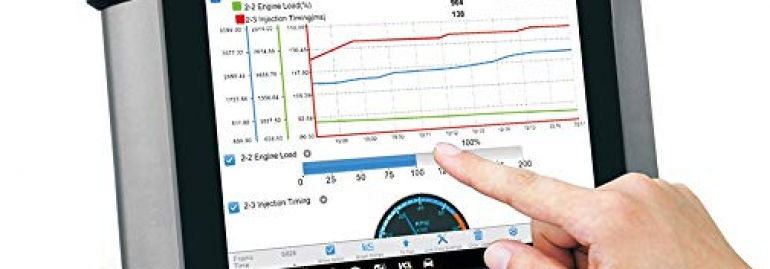
Viewing raw numbers is overwhelming. Professional vehicle diagnostic software converts these PIDs into customizable dashboards, line graphs, and gauges. You can watch your fuel trim percentages fluctuate as you accelerate, or monitor oxygen sensor switching activity to identify a lazy sensor before it triggers a code. Graphing two or three PIDs simultaneously helps you spot correlations—such as a spike in coolant temperature coinciding with a misfire—that would be invisible on a handheld scanner’s two-line LCD screen.
Freeze Frame Data
When a fault occurs, the ECU captures a snapshot of vehicle conditions at that exact moment. Freeze frame data might include engine speed, vehicle speed, coolant temp, and fuel system status when the code set. This contextual information is invaluable. A P0420 (catalytic converter efficiency below threshold) captured at highway speed tells a very different story than one captured at idle.
Mode 6 and On-Board Testing
Mode 6 is one of the most underutilized features in automotive diagnostics. It reveals the results of continuous and non-continuous monitors—tests the ECU runs in the background. Instead of waiting for a code to trigger, Mode 6 shows you if your oxygen sensor heater test, evaporative system leak test, or EGR flow test is barely passing, failing intermittently, or has already failed. For diagnosing car health issues before the Check Engine Light appears, Mode 6 is essential.
Emission Readiness Monitors
Before an emissions test, your vehicle must complete a series of readiness monitors. Diagnostic software checks which monitors are complete and which are pending. If you recently cleared a code or disconnected the battery, the software tells you exactly how many drive cycles remain before you will pass inspection—saving you from a wasted trip to the testing station.
Logging and Reporting
Professional software allows you to save diagnostic sessions, export data to CSV or PDF, and generate vehicle health reports. For small repair shops, this builds customer trust. For used car buyers, it provides documented proof of a vehicle’s condition before purchase. For enthusiasts tracking modifications, it creates a baseline for performance tuning.
How to Diagnose Car Health: A Technician’s Step-by-Step Framework
Owning engine scanner software is only valuable if you know how to use it methodically. Professional technicians follow a logical workflow, and you should too. This framework will help you move from “I have a code” to “I know exactly what to fix.”
Step 1: Verify the Complaint
Before touching the OBD2 port, confirm the symptom. Is the engine actually misfiring, or is only the light on? Does the rough idle happen cold, hot, or under acceleration? Context prevents you from chasing ghosts in the data.
Step 2: Retrieve All Codes (Current, Pending, and Permanent)
Connect your software and pull every stored code. Do not clear them yet. Pending codes indicate an intermittent fault that has not triggered the light. Permanent codes (mandated on 2010+ vehicles) cannot be cleared without completing the proper repair cycle; they exist to prevent emissions cheating. Write every code down with its freeze frame data.
Step 3: Research Before Replacing
Never replace a part based solely on the code definition. A P0171 (System Too Lean) does not mean your oxygen sensor is bad. It means the engine is receiving too much air or too little fuel. The cause could be a vacuum leak, a dirty MAF sensor, a weak fuel pump, or an exhaust leak upstream of the O2 sensor. Use the code as a starting point for diagnosis, not a final verdict.
Step 4: Analyze Freeze Frame and Mode 6 Data
Look at the conditions when the fault set. If the code triggered at 65 mph with the engine at full operating temperature, try to recreate those conditions while monitoring live data. Then check Mode 6 to see if related tests are failing. A pending EVAP leak might show up in Mode 6 long before it stores a P0455.
Step 5: Monitor Live Data Strategically
Focus on relevant PIDs. For a misfire, watch cylinder balance, crankshaft position variation, and fuel trim. For overheating, watch coolant temp, radiator fan command status, and thermostat position. For poor fuel economy, compare MAF readings against calculated load and fuel trim percentages. Graph the data over time rather than watching instantaneous numbers.
Step 6: Perform Component Tests
Some advanced car diagnostic software supports bi-directional controls, allowing you to command the ECU to activate relays, fans, fuel injectors, or solenoids. Even without bi-directional capability, you can use the software to verify sensor responses. Unplug a sensor and confirm the PID drops to zero or triggers a code—proving the wiring and ECU recognition are functional.
Step 7: Repair, Clear, and Verify
After the repair, clear the codes and drive the vehicle through the necessary conditions to run the related monitors. Use your software to confirm the monitor completes and no pending codes return. If the Check Engine Light stays off and Mode 6 tests pass, the repair is verified.
Common Car Health Issues You Can Catch Early with Software
You do not need to wait for a breakdown. Proactive diagnosing with vehicle diagnostic software can identify deterioration long before it strands you on the roadside.
Catalytic Converter Degradation
Before a P0420 or P0430 destroys your converter and triggers the CEL, oxygen sensor data will show sluggish switching or reduced efficiency. Catching this early might reveal a rich fuel mixture causing the damage—fix the root cause, and you save the $1,500 converter replacement.
Intermittent Misfires
A single misfire under heavy acceleration may not trigger a code immediately. Live data logging during a test drive can reveal cylinder contribution faults that a basic code reader would miss entirely.
EVAP System Micro-Leaks
A loose gas cap triggers a P0457, but micro-leaks in hoses or the charcoal canister vent valve often cause pending P0442 codes. Your software can run the EVAP monitor in real time and show you if the system fails to hold vacuum.
Thermostat and Cooling System Faults
Watching coolant temperature rise patterns can reveal a thermostat stuck open (slow warm-up) or partially closed (overheating under load). You can also verify radiator fan operation through the ECU command PID.
Battery and Charging System Health
While primarily handled by the body control module, many vehicles report system voltage through OBD2. Slow cranking combined with low voltage PIDs during startup can predict battery failure before you are stuck in a parking lot.
Transmission Anomalies
Although transmission diagnostics sometimes require manufacturer-specific enhanced data, many vehicles report transmission fluid temperature, shift solenoid status, and torque converter lockup through standard OBD2. Catching harsh shifts early can prevent a $4,000 rebuild.
Who Needs Professional Car Diagnostic Software?
The short answer: anyone who wants to stop guessing. But specific groups benefit disproportionately from investing in quality diagnostic software.
Home Mechanics and DIY Enthusiasts
If you perform your own oil changes, brake jobs, and tune-ups, an engine scanner is the logical next step. It prevents you from replacing the wrong parts and teaches you how your engine management system actually behaves.
Used Car Buyers and Sellers
A pre-purchase diagnostic scan is more valuable than a test drive. You can verify the vehicle has no permanent codes, check that all readiness monitors are set (a sign the battery was not recently disconnected to hide a code), and log a baseline health report. Sellers can use a clean diagnostic report as a powerful trust signal.
Small Independent Repair Shops
A laptop-based diagnostic setup offers a professional customer-facing interface without the crippling monthly subscription fees of some high-end scan tools. The ability to print color reports and graph live data elevates customer communication.
Fleet Managers
When maintaining multiple vehicles, software that logs historical data helps identify recurring issues across the fleet and schedules preventive maintenance before failures occur.
Tuners and Track Day Drivers
If you modify intake, exhaust, or engine management systems, you need to monitor knock sensor activity, ignition timing, air-fuel ratios, and coolant temps under load. Consumer-grade code readers simply cannot keep up.
Choosing the Right Car Diagnostics Software: 7 Critical Factors
Not every program calling itself “OBD2 software” deserves your money or your trust. Here is what to evaluate before downloading or purchasing.
1. Protocol Support
Ensure the software supports all five OBD2 protocols: SAE J1850 PWM and VPW (older Ford and GM), ISO 9141-2 (many Asian and European imports), ISO 14230 KWP2000, and ISO 15765 CAN (modern vehicles). CAN bus diagnostics is non-negotiable for any vehicle built after 2008.
2. Hardware Compatibility
Does the software work with standard ELM327 interfaces, or does it require expensive proprietary cables? The best tools offer flexibility—working with affordable Bluetooth or USB adapters for quick checks, while also supporting professional J2534 pass-thru devices for advanced programming.
3. Data Visualization
Can you build custom dashboards? Can you graph multiple PIDs simultaneously? Does it support recording and playback? Static lists of numbers are nearly useless for complex intermittent issues.
4. Database Depth
Generic code definitions are free. Quality software provides manufacturer-specific code definitions, troubleshooting tips, and wiring diagrams. A “P0300” definition helps; knowing that “P0300 on 2004 Honda Accords often stems from faulty EGR ports” fixes the car faster.
5. Update Frequency and Support
Automotive technology evolves. Software that was current in 2019 may not properly interpret 2024 CAN bus structures. Look for active development, regular database updates, and responsive technical support.
6. Operating System and Device Flexibility
Some tools only run on Android. Others are Windows-exclusive. If you plan to diagnose in the garage with a rugged laptop, ensure the software is compatible and does not require an always-on internet connection to function.
7. Honest Pricing
Beware of “free” apps that harvest vehicle data or upsell you aggressively. Beware of subscription models that lock your own tools behind monthly fees. A one-time purchase of robust car diagnostic software often provides better long-term value.
The Economics of Knowing: How Diagnostic Software Saves Money
The financial argument for owning vehicle diagnostic software is overwhelming. The average check engine light diagnostic fee at a repair shop ranges from $100 to $200—and that is just for the diagnosis, not the repair. If you own multiple vehicles or drive high-mileage cars that regularly throw codes, software pays for itself in a single avoided shop visit.
More importantly, it prevents expensive “parts darts.” Throwing an oxygen sensor, ignition coil, and mass airflow sensor at a lean code can easily cost $400 in unnecessary parts. Ten minutes analyzing fuel trim data with proper software identifies a $12 vacuum hose leak instead.
There is also the resale value angle. A vehicle with a documented diagnostic history—showing timely maintenance, clean emissions monitors, and no pending transmission faults—commands a higher price and sells faster than one with a mysterious maintenance past.
Finally, consider the safety factor. A failing crankshaft position sensor often sets a pending code before it causes a no-start condition or random stalling in traffic. Diagnosing car health early does not just save money; it prevents dangerous roadside breakdowns.
Getting Started: Your First Diagnostic Session
If you are new to automotive diagnostics, the process is simpler than it looks. You need three things: an OBD2 interface, a computing device (laptop, tablet, or smartphone), and quality software.
Plug the interface into your vehicle’s OBD2 port—typically located under the driver’s side dashboard, within two feet of the steering column. Connect the interface to your device via USB, Bluetooth, or Wi-Fi depending on the model. Launch your software, ignition on (engine off for code reading; engine running for live data), and establish communication.
Start by reading the ECU information to confirm the software is communicating properly. It should display the VIN, calibration ID, and protocol being used. Then pull current codes. If the Check Engine Light is on, write down the exact code numbers and definitions. Check the freeze frame data for each code. If no codes are present but you suspect a drivability issue, enter live data mode and record a short drive while monitoring relevant PIDs.
For those seeking a comprehensive, user-friendly entry into professional-grade diagnostics, Total Car Diagnostics has developed TOAD (Total OBD & ECU Auto Diagnostics) software specifically to bridge the gap between complex factory tools and oversimplified consumer apps. TOAD runs on Windows laptops and provides deep access to OBD2 PIDs, freeze frame data, Mode 6 testing, oxygen sensor monitoring, and customizable live dashboards—turning any compatible PC into a full-featured engine scanner. It is designed for enthusiasts who want dealership-level insight without dealership-level complexity or cost.
Regardless of the platform you choose, the goal remains the same: replace anxiety with data, and replace guesswork with precision.
Frequently Asked Questions About Car Diagnostic Software
Will diagnostic software damage my car’s computer?
No. OBD2 communication is read-only by default. Standard diagnostic software queries the ECU for data; it does not rewrite firmware unless you specifically use advanced programming features found in specialized tuning suites.
Does it work on diesel, hybrid, or electric vehicles?
OBD2 is mandatory on diesel passenger vehicles since 1996 and on hybrids as well. Electric vehicles (EVs) use a modified diagnostic structure, so standard OBD2 software may have limited functionality on pure EVs. Always verify coverage for your specific make and model.
What is the difference between a code reader and diagnostic software?
A code reader only reads and clears codes. Diagnostic software provides live data, freeze frames, Mode 6, logging, graphing, and enhanced manufacturer-specific troubleshooting.
Can I just clear the Check Engine Light and ignore the problem?
You can clear the code, but the ECU will detect the fault again and re-illuminate the light—often within a few drive cycles. Clearing codes without repair also resets your emissions readiness monitors, guaranteeing a failed smog test.
Do I need to be online to use diagnostic software?
Most professional software works offline once installed. Internet may be required for updates or cloud-based reporting, but core diagnostic functions communicate directly from your device to the vehicle’s ECU.
Why does my cheap $20 scanner show different data than my laptop software?
Cheap scanners often sample data slowly, display truncated definitions, and lack manufacturer-specific enhanced code support. Laptop software leverages your computer’s superior processing power to request and visualize data at much higher speeds and greater depth.
Conclusion: Own Your Vehicle’s Health
Automotive literacy is no longer optional for anyone who depends on a vehicle. Modern cars are rolling sensor networks generating thousands of data points per second. Ignoring that data means driving blind—hoping that noises, smells, and warning lights sort themselves out. They rarely do.
Investing in quality car diagnostic software transforms your relationship with your vehicle. You stop fearing the Check Engine Light because you understand what triggered it. You stop authorizing unnecessary repairs because you have the data to challenge or confirm a mechanic’s recommendation. You catch small problems—oxygen sensors, vacuum leaks, thermostat faults—while they are still cheap and convenient to fix.
The best diagnostic approach combines reliable hardware, comprehensive software, and a methodical mindset. Start with the codes, confirm with live data, verify with Mode 6, and repair based on evidence rather than fear. Whether you maintain a single daily driver or a fleet of work trucks, the ability to diagnose car health accurately is one of the most valuable skills—and tools—you can own.
Equip your garage with the right OBD2 scanner solution, take control of your automotive destiny, and never let a little amber light dictate your day again.