
Introduction: The Future of Transmission Diagnostics Is Not Waiting for a Code
Most drivers think vehicle diagnostics begin when the check engine light turns on.
That belief is understandable. For years, the typical diagnostic process has been simple:
- The check engine light appears.
- You plug in an OBD2 scanner.
- You read a diagnostic trouble code.
- You replace the part suggested by the code.
- You hope the problem goes away.
But this approach is reactive.
It waits until the vehicle has already detected a fault serious enough to trigger a warning. In many cases, especially with automatic transmission problems, that may be too late.
A failing transmission often gives clues long before a hard fault code appears. Those clues may show up as subtle changes in:
- Shift timing
- Torque converter clutch behavior
- Transmission fluid temperature
- Gear ratio consistency
- Line pressure command behavior
- Engine load during shifts
- Slip speed
- Solenoid duty cycle
- Lockup status
- Input and output shaft speed relationships
The problem is that most basic scan tools only focus on diagnostic trouble codes, also called DTCs. They are useful, but they are not the whole story.
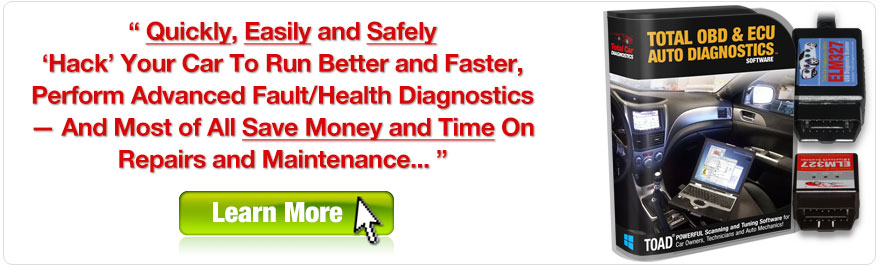
This is where TOAD by Total Car Diagnostics becomes valuable.
TOAD is not just a code reader. It is a vehicle diagnostics and data logging software platform designed to help users go deeper than simple fault-code scanning. With the right vehicle support and available PIDs, TOAD can help you monitor live data, log trends over time, graph key parameters, and identify patterns that may reveal developing problems before they become expensive failures.
For transmission diagnostics, that difference matters.
A code such as P0700 may tell you that the transmission control system has detected a problem. But by the time that code appears, the transmission may already be slipping, overheating, or experiencing hydraulic pressure issues.
Predictive maintenance changes the process.
Instead of asking:
“What code is stored?”
You start asking:
“What is the data telling me over time?”
That is the foundation of OBD2 transmission failure prediction.
In this article, we will explore how long-term live data trends can help detect early transmission failure patterns, how TOAD’s data logging and graphing features can support deeper diagnostics, and how proactive vehicle maintenance software can help drivers, technicians, fleet owners, and advanced DIY users spot warning signs before they turn into major repairs.
The Myth of “The Check Engine Light Only Comes on When Something Is Broken”
The check engine light has trained drivers to think in binary terms.
Either the car is fine, or the light is on.
But vehicles rarely fail that neatly.
Most mechanical and electronic systems degrade gradually. A transmission clutch pack does not usually go from perfect to destroyed in one drive cycle. A torque converter clutch does not always fail instantly. A solenoid may not immediately stop functioning. Transmission fluid does not become overheated and degraded in one moment.
Instead, problems often develop slowly.
A healthy automatic transmission may begin showing early signs such as:
- Slightly longer shift times
- Higher-than-normal transmission fluid temperatures
- Minor torque converter clutch slip
- Delayed lockup
- Unstable gear ratio readings
- Increased commanded line pressure
- Repeated adaptive shift corrections
- Flare between gears
- Harsh engagement after warm-up
- Unusual RPM behavior under light throttle
Many of these symptoms may be too subtle for the average driver to notice. The transmission control module may compensate for them using adaptive strategies. It may increase pressure, change shift timing, or alter lockup behavior to keep the transmission feeling normal.
That compensation can hide the problem.
By the time a warning light appears, the transmission may have already been struggling for weeks or months.
That is why code-only diagnostics can be limiting.
A stored code tells you that a threshold was crossed. Live data trending shows you how the vehicle approached that threshold.
For example, a transmission may not trigger a P0700 immediately when the torque converter clutch begins to slip slightly. But repeated logs may show that torque converter slip is gradually increasing under the same driving conditions.
That is the key difference between ordinary diagnostics and predictive maintenance.
Ordinary diagnostics asks:
“What failed?”
Predictive diagnostics asks:
“What is beginning to change?”
With TotalCarDiagnostics TOAD data logging, users can collect live data during real-world driving and compare patterns over time. That means a transmission can be evaluated not only by the codes it stores, but by how it behaves.
Why Transmission Problems Are Often Missed by Basic OBD2 Scanners
Many inexpensive OBD2 scanners are designed primarily for emissions-related diagnostics. They can read generic engine codes, clear the check engine light, and display a limited set of live data parameters such as:
- Engine RPM
- Vehicle speed
- Coolant temperature
- Intake air temperature
- Oxygen sensor readings
- Fuel trim values
- Throttle position
- Mass airflow data
That is useful, but transmission diagnostics often require more detail.
Depending on the vehicle, transmission-related data may include manufacturer-specific PIDs such as:
- Current gear
- Commanded gear
- Gear ratio
- Transmission input shaft speed
- Transmission output shaft speed
- Torque converter clutch slip
- Torque converter clutch command
- Torque converter clutch lockup status
- Line pressure command
- EPC solenoid duty cycle
- Shift solenoid state
- Transmission fluid temperature
- Shift time
- Transmission adaptive values
- Clutch apply pressure
- Clutch fill time
- Turbine speed
- Output speed sensor signal
- Mode switch state
- Pressure control solenoid current
A basic scanner may not display these values. Even if it does, it may not log them in a way that makes trend analysis easy.
This is where software-based diagnostic tools become more powerful.
TOAD allows users to move beyond one-time readings and into live monitoring, logging, and graphing. Instead of glancing at a value for a few seconds, you can record data during a full drive cycle, save the log, and review it later.
That matters because many transmission faults only appear under specific conditions, such as:
- Light throttle cruising
- Moderate acceleration
- Towing or hauling
- Hot fluid temperature
- Highway lockup
- Stop-and-go traffic
- Downshifts under load
- Cold starts
- Warm restarts
- Specific gear changes, such as 3-4 or 5-6
A fault may not appear while the vehicle is sitting in a driveway. It may not show up during a quick scan. It may only appear after 20 minutes of driving, when the transmission fluid is hot and the torque converter clutch is commanded to lock.
That is why live data trending diagnostics are so valuable.
They capture the behavior that static code scans miss.
What Predictive Transmission Maintenance Actually Means
Predictive maintenance does not mean guessing.
It does not mean replacing parts based on vague symptoms. It does not mean assuming every transmission will fail because one data point looks unusual.
Predictive maintenance means using data trends to identify developing changes before they become obvious failures.
In the context of automatic transmission diagnostics, predictive maintenance may involve monitoring how transmission behavior changes over:
- Days
- Weeks
- Months
- Different temperatures
- Different driving conditions
- Different load conditions
- Different mileage intervals
The goal is to establish a baseline for normal operation and then detect deviations from that baseline.
For example, suppose you log your truck’s transmission data every month during a similar 20-mile route. You monitor:
- Transmission fluid temperature
- Engine RPM
- Vehicle speed
- Commanded gear
- Actual gear ratio
- Torque converter clutch slip
- Lockup status
- Shift timing
- Load percentage
- Throttle position
In the first three months, the data is stable. The transmission fluid temperature stays within a normal range. TCC slip remains low when lockup is commanded. Shifts occur consistently at similar speeds and throttle inputs.
Then, over the next two months, you notice that under similar highway conditions:
- TCC slip is slightly higher.
- Lockup takes longer to stabilize.
- Fluid temperature is rising faster.
- The transmission commands more pressure during certain shifts.
- The 4-5 or 5-6 shift shows a small RPM flare.
No code is stored.
The check engine light is off.
The truck still drives reasonably well.
But the data shows a trend.
That trend may suggest developing wear, fluid degradation, torque converter clutch issues, solenoid performance changes, or clutch pack deterioration.
This is the power of OBD2 transmission failure prediction. It gives you time.
Time to inspect fluid condition.
Time to service the transmission.
Time to verify cooling system performance.
Time to investigate solenoid behavior.
Time to prepare financially if a repair is likely.
Time to avoid being stranded.
For fleet owners, that time can be even more valuable. A failed transmission during a job can cost far more than the repair itself. It can mean towing, downtime, missed appointments, lost revenue, and emergency repair pricing.
Predictive maintenance helps move repairs from crisis mode to planned service.
How TOAD Fits Into a Predictive Maintenance Workflow
TOAD, available from Total Car Diagnostics, is designed for users who want more than a basic handheld code reader.
While available features depend on the vehicle, adapter, and supported PIDs, TOAD’s value comes from its ability to help users view, log, graph, and analyze OBD2 data from a laptop-based interface.
For predictive maintenance, the most important capabilities include:
- Reading and clearing diagnostic trouble codes
- Viewing live sensor data
- Monitoring selected parameters
- Logging data over time
- Graphing live data
- Exporting or reviewing recorded data
- Comparing changes across multiple drive sessions
- Supporting deeper diagnostic workflows than simple code reading
For transmission diagnostics, TOAD can be used as part of a repeatable testing strategy.
Instead of scanning randomly, you can build a structured data collection routine.
For example:
- Warm the vehicle to operating temperature.
- Connect TOAD through a compatible OBD2 adapter.
- Select transmission-related PIDs where supported.
- Begin live data logging.
- Drive a repeatable test route.
- Include city driving, steady cruise, moderate acceleration, and deceleration.
- Save the log with date, mileage, weather, and driving notes.
- Repeat the same process monthly or after any transmission service.
- Compare graphs over time.
- Look for changes in shift behavior, temperature, slip, and pressure commands.
This process turns TOAD into a practical proactive vehicle maintenance software tool.
You are no longer relying only on warning lights. You are building your own history of vehicle behavior.
That history is extremely useful.
A single data log can show what happened during one drive. But multiple logs can show what is changing.
And when it comes to transmissions, change over time is often more important than one isolated reading.
Key Transmission Parameters to Monitor with TOAD
The exact live data parameters available through TOAD depend on your vehicle make, model, year, control modules, and PID support. Some vehicles expose extensive transmission data. Others provide only limited generic OBD2 data.
When available, the following parameters are especially useful for automatic transmission shift pattern analysis.
1. Transmission Fluid Temperature
Transmission fluid temperature is one of the most important indicators of transmission health.
Automatic transmission fluid performs several critical jobs:
- Lubricates moving parts
- Transfers hydraulic pressure
- Applies clutches and bands
- Cools internal components
- Helps control friction characteristics
- Protects seals and valves
- Supports torque converter operation
When transmission fluid runs too hot, it can degrade faster. Degraded fluid may lose friction stability, oxidize, darken, smell burnt, and contribute to harsh shifts or slipping.
When logging transmission fluid temperature, look for trends such as:
- Higher temperatures on the same route
- Faster temperature rise than before
- Temperature spikes during towing
- Poor cooling during highway cruising
- Slow recovery after heavy load
- Excessive heat in stop-and-go traffic
One hot reading may not prove a failing transmission. But a rising temperature trend over weeks or months can be an early warning.
Possible causes may include:
- Low fluid level
- Old or degraded fluid
- Restricted transmission cooler
- Failing torque converter clutch
- Excessive internal slip
- Cooling system problems
- Heavy towing or overloading
- Incorrect fluid type
- Valve body problems
A transmission that is gradually producing more heat under the same conditions may be working harder internally.
That is exactly the type of trend TOAD logging can help reveal.
2. Torque Converter Clutch Slip
The torque converter clutch, often called the TCC, is designed to improve efficiency by mechanically linking the engine and transmission under certain driving conditions.
When the TCC is commanded to lock, engine RPM and transmission input speed should become closely related. Some controlled slip may be normal depending on vehicle strategy, but excessive or unstable slip can indicate a developing problem.
TCC slip can be affected by:
- Worn converter clutch material
- Fluid degradation
- Incorrect fluid
- Low line pressure
- Solenoid problems
- Valve body wear
- Overheating
- Control strategy
- Engine misfire or load instability
- Transmission adaptation issues
With TOAD live data logging, you may be able to monitor TCC-related parameters such as:
- TCC command
- TCC lockup status
- TCC slip RPM
- Engine RPM
- Turbine/input shaft speed
- Vehicle speed
- Throttle position
- Load
The important diagnostic question is not only whether TCC slip exists, but when and how it appears.
For example:
- Does slip occur only during lockup?
- Does it increase as fluid temperature rises?
- Is it worse under light throttle or moderate load?
- Does it stabilize quickly or oscillate?
- Is slip increasing month over month?
- Does it occur before a code is stored?
A failing torque converter clutch may produce subtle slip long before a hard fault appears. That slip can create heat. Heat can degrade fluid. Degraded fluid can worsen clutch performance. The cycle can accelerate.
A code-only scanner may miss this until the system sets a fault.
Long-term data logging can reveal the pattern earlier.
3. Commanded Gear and Actual Gear Ratio
Modern automatic transmissions use input and output speed sensors to calculate gear ratio. The transmission control module knows which gear it has commanded and can compare expected ratio to actual ratio.
A healthy transmission should maintain a predictable relationship between:
- Engine speed
- Input shaft speed
- Output shaft speed
- Vehicle speed
- Commanded gear
- Actual gear ratio
If a clutch pack begins to fade, a shift may take longer to complete. You may see a brief RPM flare. The expected ratio may not stabilize as quickly as it used to.
For trend analysis, useful indicators include:
- Gear ratio error
- Delayed ratio stabilization
- RPM flare during upshifts
- Harsh ratio change
- Unexpected downshift behavior
- Slipping under load in one gear
- Intermittent mismatch between commanded gear and actual ratio
A one-time abnormal shift may be caused by driver input, road grade, traction control, adaptive learning, or temperature. But repeated changes in the same shift event are more significant.
For example, if a 6-speed transmission consistently shows a longer 3-4 shift transition over several months, especially with rising fluid temperature or increased pressure command, it may indicate internal wear.
This is where graphing is powerful.
Looking at numbers in real time can be difficult. But when you graph RPM, vehicle speed, gear command, and input/output speed together, shift behavior becomes visible.
A clean shift typically shows a predictable RPM drop and gear ratio transition.
A slipping or fading clutch may show:
- A delayed RPM drop
- A flare before engagement
- A wavy transition
- Instability after shift completion
- More variation at higher fluid temperature
- Higher commanded pressure over time
TOAD’s graphing and logging features can help make those patterns easier to see.
4. Line Pressure Command and Pressure Control Behavior
Transmission line pressure controls how clutches and bands apply. Too little pressure can cause slip. Too much pressure can cause harsh shifts, increased wear, or indicate compensation for internal leakage or worn components.
Many vehicles do not expose actual hydraulic pressure through generic OBD2. Some may provide commanded pressure, pressure control solenoid current, EPC solenoid duty cycle, or related values through enhanced PIDs.
When available, these parameters are useful.
Possible values to monitor include:
- Commanded line pressure
- EPC solenoid duty cycle
- Pressure control solenoid current
- Clutch pressure command
- Shift pressure modifier
- Adaptive pressure correction
A rising commanded pressure trend can mean the module is compensating.
For example, if the transmission needs more pressure to complete the same shift under the same load, that may indicate:
- Internal leakage
- Worn clutch seals
- Aging solenoid
- Valve body wear
- Clutch pack wear
- Fluid viscosity changes
- Pump efficiency issues
This is especially important because the vehicle may still shift normally. The driver may not feel the problem because the computer is hiding it by increasing pressure.
That is why live data matters.
The symptom is not always the shift feel.
Sometimes the symptom is the control module working harder to produce the same shift.
That is a classic predictive maintenance signal.
5. Shift Solenoid State and Duty Cycle
Shift solenoids control hydraulic circuits inside the transmission. Depending on the design, they may be on/off solenoids or variable-force solenoids. They direct pressure to apply or release clutch elements.
When solenoids begin to fail, symptoms may include:
- Delayed shifts
- Harsh shifts
- Wrong gear starts
- Limp mode
- Intermittent slipping
- No upshift
- No downshift
- Gear ratio codes
- TCC issues
But before a solenoid fails completely, data may show inconsistencies.
With supported PIDs, TOAD may help monitor:
- Solenoid command state
- Solenoid duty cycle
- Pressure control current
- Shift timing
- Commanded gear
- Actual gear response
- Line pressure command
A solenoid that is electrically commanded correctly but produces delayed hydraulic response may point toward mechanical or hydraulic issues.
For example:
- Solenoid command changes at the expected time.
- Input/output speed ratio changes late.
- RPM flares briefly.
- Pressure command increases.
- Shift eventually completes.
That pattern may suggest the control system is asking for the shift, but the transmission is slow to execute it.
This distinction is important.
Without live data, a driver might only report “it shifts funny.”
With data logging, you can separate command from response.
That can help determine whether the issue is likely electrical, hydraulic, mechanical, fluid-related, or adaptive.
6. Engine Load, Throttle Position, and RPM
Transmission data should not be interpreted in isolation.
A transmission shift pattern depends heavily on engine load, throttle input, vehicle speed, and road conditions.
That is why a good TOAD logging setup should include engine and vehicle parameters along with transmission PIDs.
Useful supporting parameters include:
- Engine RPM
- Vehicle speed
- Throttle position
- Accelerator pedal position
- Engine load
- Calculated load
- Mass airflow
- Intake air temperature
- Coolant temperature
- Fuel trims
- Misfire data, if available
Why does this matter?
Because transmission behavior changes naturally depending on load.
A shift at 15% throttle will look different from a shift at 60% throttle. A hill climb will look different from level road cruising. A cold transmission will shift differently than a hot one.
To compare logs accurately, you need context.
If you see higher TCC slip in one log, but that log was recorded while towing uphill in hot weather, the difference may be expected. But if the same slip appears on the same route, at the same throttle position, at the same speed, with similar load, that is more meaningful.
Predictive diagnostics depends on comparing similar conditions.
TOAD’s ability to log multiple parameters together makes that possible.
How to Set Up TOAD for Transmission Data Logging
The exact setup process may vary depending on your vehicle, adapter, and software version, but a predictive transmission logging workflow generally follows the same structure.
Step 1: Use a Compatible OBD2 Adapter
TOAD communicates with the vehicle through an OBD2 adapter. For best results, use a reliable adapter that supports stable live data communication.
A poor-quality adapter can cause:
- Dropped connections
- Slow refresh rates
- Missing data
- Inaccurate logs
- Failed module communication
- Frustrating diagnostic sessions
For transmission analysis, stable data flow matters. You may be logging several PIDs at once during real driving. If the connection drops every few minutes, the data becomes less useful.
Before beginning a long-term predictive maintenance routine, verify that your adapter works reliably with your vehicle and TOAD.
Step 2: Connect TOAD and Identify Available Modules
Once connected, allow TOAD to communicate with the vehicle and identify supported data.
Depending on the vehicle, you may have access to:
- Generic OBD2 engine data
- Enhanced manufacturer-specific data
- Transmission control module data
- Powertrain control module data
- Freeze frame data
- Pending codes
- Stored codes
Transmission data may be stored under the transmission control module, powertrain control module, or enhanced data sections depending on the vehicle architecture.
Look for available PIDs related to:
- Transmission
- Gear
- TCC
- Torque converter
- Slip
- Input speed
- Output speed
- Fluid temperature
- Solenoids
- Pressure
- Shift timing
Not every vehicle exposes every parameter. That is normal.
Even if line pressure is unavailable, you may still be able to infer important behavior from RPM, vehicle speed, gear, TCC status, and fluid temperature.
Step 3: Select a Focused PID List
One common mistake is logging too many parameters at once.
More data is not always better.
If you select every available PID, refresh rate may slow down, making the graph less precise. For shift analysis, timing matters, so you want a useful but focused list.
A strong starting PID set for transmission trend analysis might include:
- Engine RPM
- Vehicle speed
- Throttle position
- Calculated engine load
- Transmission fluid temperature
- Commanded gear
- Actual gear ratio
- Input shaft speed
- Output shaft speed
- TCC command
- TCC slip RPM
- TCC lockup status
- Line pressure command, if available
- Shift solenoid state, if available
- Pressure control solenoid duty cycle, if available
If the data stream becomes too slow, reduce the list.
For a TCC-focused test, log:
- Engine RPM
- Vehicle speed
- TCC command
- TCC slip
- Transmission fluid temperature
- Throttle position
- Engine load
For a shift-quality test, log:
- Engine RPM
- Vehicle speed
- Commanded gear
- Input shaft speed
- Output shaft speed
- Throttle position
- Transmission fluid temperature
For overheating analysis, log:
- Transmission fluid temperature
- Coolant temperature
- Vehicle speed
- Engine load
- Throttle position
- TCC status
- Gear
The goal is to log the fewest parameters needed to answer the diagnostic question.
Step 4: Create a Repeatable Test Route
Predictive maintenance depends on comparing data over time. For comparisons to be meaningful, your test conditions should be as consistent as possible.
Create a route that includes:
- Cold start idle
- Light city driving
- Several gentle upshifts
- Moderate acceleration
- Steady 45-55 mph cruise
- Highway cruise if safe and legal
- TCC lockup conditions
- Deceleration
- Stop-and-go driving
- A return to idle after warm-up
Use the same route whenever possible.
Record notes such as:
- Date
- Mileage
- Outside temperature
- Vehicle load
- Fuel level
- Tire size or modifications
- Whether towing or hauling
- Recent repairs
- Fluid service history
- Any symptoms noticed
- Whether the transmission was cold or warm at start
A filename such as the following is helpful:
2018-F150-6R80-TransmissionLog-2026-06-01-84500mi-NoTow-LevelRoute.csv
Good naming habits make long-term analysis much easier.
Step 5: Log Under Normal Driving Conditions
Do not perform unsafe tests on public roads.
You do not need aggressive driving to spot many transmission issues. In fact, normal driving is often more useful because it reflects how the vehicle is actually used.
During the log, try to include:
- Smooth acceleration from a stop
- Light throttle upshifts
- Moderate throttle upshifts
- Steady cruising
- Torque converter lockup
- Gentle downshifts
- Warm idle in gear
- Warm idle in park or neutral
Avoid sudden throttle changes unless you are intentionally testing a specific condition and can do so safely.
For predictive maintenance, consistency is more important than drama.
Step 6: Save, Label, and Review the Log
After the drive, save the log immediately.
Then review the graph while the drive is still fresh in your memory.
Look for:
- Which gear changes occurred
- When TCC lockup engaged
- Whether TCC slip stabilized
- How high fluid temperature climbed
- Whether any shift flares appeared
- Whether RPM behavior matched gear changes
- Whether temperature affected shift quality
- Whether pressure command changed during problem events
Do not jump to conclusions from one graph.
Instead, use the first few logs to establish your normal baseline.
Interpreting TOAD Graphs: Normal Behavior vs. Early Failure Patterns
A graph can reveal patterns that are difficult to see in raw numbers.
When reviewing transmission logs, it helps to overlay related signals.
For example:
- Engine RPM and vehicle speed
- Commanded gear and gear ratio
- TCC command and TCC slip
- Transmission fluid temperature and TCC slip
- Throttle position and shift timing
- Line pressure command and RPM flare
The key is to ask:
“Does this pattern make sense for the driving condition?”
Let’s look at common graph patterns.
What a Normal 6R80-Style Shift Pattern May Look Like
The Ford 6R80 is a widely used 6-speed automatic transmission found in many Ford trucks and SUVs, including F-150 models. While exact data behavior varies by calibration, axle ratio, tire size, load, and driving mode, a healthy 6-speed automatic generally shows predictable shift behavior.
In a normal light-throttle acceleration graph, you may see:
- Engine RPM rise smoothly from a stop.
- Commanded gear change from 1st to 2nd.
- RPM drop cleanly after the shift.
- Vehicle speed continue increasing smoothly.
- Gear ratio stabilize quickly after each shift.
- Transmission fluid temperature gradually rise.
- No large RPM flare between gears.
- TCC lockup occur during steady cruise.
- TCC slip remain controlled once lockup is commanded.
A normal shift graph often looks clean and repeatable.
The RPM line rises, drops, rises, drops, and stabilizes as gears change. The gear command changes cleanly. The input/output speed relationship stabilizes quickly.
There may be small variations depending on throttle and load, but the overall pattern is consistent.
During highway cruise, a healthy torque converter clutch event may show:
- TCC command changes to apply or lock.
- Slip RPM decreases.
- Engine RPM stabilizes.
- Transmission fluid temperature remains controlled.
- Vehicle speed remains steady.
- Throttle remains relatively stable.
If TCC slip briefly changes during slight grade or throttle movement, that may be normal. What matters is whether slip becomes excessive, unstable, or progressively worse over time under the same conditions.
What a Fading Clutch Pack May Look Like in Data
A clutch pack inside an automatic transmission applies to hold or drive specific gear elements. As clutch material wears, the transmission may need more pressure or more time to apply the clutch.
Early signs in logged data may include:
- RPM flare during a specific shift
- Delayed gear ratio stabilization
- Higher slip during or after shift
- Increased shift time
- Increased line pressure command
- Shift quality that worsens when hot
- One gear change consistently worse than others
- Repeated adaptive corrections
- Heat buildup during slipping events
A fading clutch pack may not create an immediate DTC. The transmission control module may adapt to the wear by modifying pressure and timing.
This can make the transmission feel acceptable to the driver.
But the data may show a different story.
For example, suppose a vehicle has a developing 3-4 clutch issue. Over several logs, you may notice:
| Month | Mileage | 3-4 Shift RPM Flare | Fluid Temp During Shift | TCC Slip After Shift | Notes |
|---|---|---|---|---|---|
| January | 82,000 | Minimal | 178°F | Stable | Normal |
| February | 83,200 | 100 RPM | 181°F | Stable | No symptom |
| March | 84,500 | 180 RPM | 186°F | Slightly unstable | Driver notices mild flare |
| April | 85,700 | 250 RPM | 193°F | More unstable | Shift feels soft |
| May | 87,000 | 350 RPM | 201°F | Unstable under load | No code yet |
A basic scan might show no codes in January, February, March, or April.
But the trend is clear.
The shift is changing.
That is where TOAD’s live data trending diagnostics become powerful. You can spot the development before the transmission sets a hard fault.
What Torque Converter Clutch Trouble May Look Like
A torque converter clutch issue may show up differently from a gear clutch problem.
Instead of a flare during a gear change, you may see unstable slip during steady cruising.
A developing TCC issue may show:
- TCC commanded on, but slip does not drop as expected
- Slip oscillates repeatedly under steady throttle
- Slip increases as fluid temperature rises
- Lockup disengages unexpectedly
- RPM hunts during steady cruise
- Transmission fluid temperature climbs during highway driving
- Fuel economy decreases
- A shudder is felt during light throttle lockup
A graph may show vehicle speed steady, throttle steady, gear steady, but engine RPM wavering. If TCC slip is available, it may show repeated increases when lockup should be stable.
This is important because torque converter problems can produce heat.
Heat damages fluid.
Damaged fluid worsens clutch performance.
Poor clutch performance produces more heat.
The failure loop can accelerate quickly.
By logging TCC behavior with TOAD, users may be able to detect the early stages before the vehicle stores a TCC performance code.
What Overheating Trends May Reveal
Transmission temperature should always be interpreted relative to conditions.
A truck towing a heavy trailer up a grade will naturally run hotter than an unloaded truck cruising on flat highway. But if the same vehicle, on the same route, under similar load, begins running hotter over time, that matters.
Rising fluid temperature trends may indicate:
- Torque converter slip
- Low fluid level
- Fluid breakdown
- Cooling system restriction
- Transmission cooler blockage
- Internal leakage
- Pump inefficiency
- Excessive clutch slip
- Added vehicle load
- Larger tires or gearing changes
- Software strategy differences
- Driving condition changes
When reviewing temperature logs, look at:
- Starting temperature
- Time to warm up
- Peak temperature
- Temperature at steady cruise
- Temperature during stop-and-go driving
- Cooldown rate after load decreases
- Relationship between TCC status and temperature
- Relationship between slip events and temperature spikes
A useful graph overlay is:
- Transmission fluid temperature
- Vehicle speed
- TCC slip
- Engine load
- Gear
If temperature spikes occur shortly after TCC slip or shift flare events, that can be a significant clue.
Case Study: 2018 Ford F-150 — Logged Data Predicted a Potential $4,000 Rebuild Three Months Early
The following case study is a realistic illustrative example designed to show how a TOAD-based predictive maintenance workflow can help identify transmission risk before a major failure. Actual results depend on vehicle condition, available PIDs, driving habits, and diagnostic skill.
Vehicle
Vehicle: 2018 Ford F-150
Transmission: 6-speed automatic, 6R80-style application
Mileage at first log: 91,400 miles
Use case: Daily driving, occasional towing
Complaint: No check engine light, occasional soft shift when warm
Tool: TOAD by Total Car Diagnostics with compatible OBD2 adapter
The owner did not have a check engine light.
There were no obvious transmission codes during the first scan. The truck drove normally most of the time, but after 25-30 minutes of driving, the owner occasionally felt a soft or slightly delayed shift under moderate acceleration.
A repair shop previously advised waiting until a code appeared.
The owner wanted a more proactive approach.
Initial TOAD Setup
A custom logging profile was created in TOAD using available data parameters.
The selected PIDs included:
- Engine RPM
- Vehicle speed
- Throttle position
- Engine load
- Transmission fluid temperature
- Commanded gear
- Input shaft speed
- Output shaft speed
- TCC command
- TCC slip
- Gear ratio
- Pressure control command, where available
The owner created a repeatable 22-mile test route:
- Five minutes of city driving
- Several light-throttle upshifts
- Moderate acceleration onto a highway
- Ten minutes of steady 55-65 mph cruise
- A mild grade
- Return to city driving
- Warm idle after stopping
The first log became the baseline.
Month 1: Baseline Data
At 91,400 miles, the transmission appeared mostly normal.
Observed data:
- Fluid temperature stabilized around normal operating range for the route.
- TCC slip dropped quickly during highway lockup.
- Gear ratio stabilized after shifts.
- No major RPM flare was visible.
- 3-4 and 4-5 shifts looked clean.
- Pressure command values were consistent with moderate load operation.
The driver still noticed an occasional soft feel, but the graph did not show a major fault.
The log was saved and labeled.
Month 2: First Signs of Change
At 92,600 miles, the same route was repeated.
The vehicle had no codes.
However, the graph showed small changes:
- Transmission fluid temperature peaked slightly higher.
- TCC slip took longer to stabilize during lockup.
- A small RPM flare appeared during one 4-5 shift.
- Gear ratio stabilization took slightly longer after the same shift.
- Pressure command appeared higher during the shift event.
None of these signs alone confirmed a failure.
But compared to the baseline, they suggested a change.
Month 3: Trend Becomes Clear
At 93,900 miles, the third log showed a more obvious pattern.
During moderate throttle acceleration after the transmission was fully warm:
- The 4-5 shift produced a repeatable RPM flare.
- TCC slip was less stable during highway lockup.
- Transmission fluid temperature rose faster than in prior logs.
- The pressure control command increased during affected shifts.
- Gear ratio took longer to stabilize after the shift.
Still, no P0700 was present.
A code-only scan would likely tell the owner nothing useful.
But the TOAD logs showed a developing issue.
At this point, the owner had evidence to justify deeper inspection instead of waiting for complete failure.
Recommended next steps included:
- Checking transmission fluid level and condition
- Inspecting for leaks
- Verifying cooler performance
- Reviewing service history
- Checking for software updates or TSBs through proper service information
- Performing a professional transmission evaluation
- Considering fluid service if appropriate and not contraindicated
- Avoiding heavy towing until diagnosis was complete
Month 4: Confirmed Risk
At 95,000 miles, a fourth log was recorded before the scheduled shop visit.
The symptoms were now more noticeable.
TOAD graph review showed:
- More frequent 4-5 RPM flare
- Increased slip during warm operation
- Higher fluid temperature under similar load
- Less stable TCC behavior
- A repeated pattern under the same conditions
The shop performed further diagnostics and found signs consistent with internal wear and possible clutch deterioration. The owner was quoted a major transmission repair that could have approached several thousand dollars if failure occurred unexpectedly.
Because the issue was identified early, the owner avoided towing under risky conditions and planned the repair instead of being stranded.
The estimated avoided emergency scenario included:
- Roadside failure
- Tow bill
- Lost work time
- Potential collateral damage
- Emergency rebuild pricing
- Rental vehicle cost
The potential rebuild cost was approximately $4,000 depending on parts, labor, location, and scope.
The value was not just in finding the problem.
The value was in finding the pattern early.
Why This Case Matters
The important lesson is not that every 2018 F-150 will fail in this way.
The lesson is that transmission failures often leave fingerprints in live data before codes appear.
Those fingerprints may include:
- Slightly increasing slip
- Rising fluid temperature
- Longer shift completion
- Higher pressure command
- Gear ratio instability
- Lockup inconsistency
- Repeated behavior under the same conditions
TOAD gives users a way to capture those fingerprints.
That makes it especially useful for:
- High-mileage vehicle owners
- Used car buyers
- Fleet operators
- Tow vehicle owners
- DIY mechanics
- Mobile mechanics
- Independent shops
- Performance enthusiasts
- Anyone trying to avoid surprise repair bills
A basic scanner tells you what the vehicle has already decided is wrong.
Long-term logging helps you see what is starting to go wrong.
Exporting TOAD Logs to Excel for Deeper Trend Analysis
Graphing inside diagnostic software is useful for immediate review. But exporting logs for spreadsheet analysis can take predictive maintenance even further.
When you export data into Excel or another spreadsheet tool, you can:
- Compare multiple logs side by side
- Calculate averages
- Track maximum values
- Find outliers
- Create trend charts
- Filter by speed or temperature
- Analyze specific shift events
- Measure time between command and response
- Track slip under repeatable conditions
- Build long-term maintenance records
This is especially valuable when you want to move from visual impressions to measurable trends.
Useful Spreadsheet Metrics for Transmission Prediction
Once your TOAD logs are exported, consider tracking the following metrics.
1. Peak Transmission Fluid Temperature
Create a table showing the maximum fluid temperature from each test route.
Example:
| Date | Mileage | Peak Transmission Fluid Temperature | Notes |
|---|---|---|---|
| Jan 10 | 91,400 | 184°F | Baseline |
| Feb 12 | 92,600 | 189°F | Slightly warmer |
| Mar 15 | 93,900 | 196°F | Soft shift noticed |
| Apr 18 | 95,000 | 204°F | Repeated flare |
If outside temperature, towing load, and route are similar, a rising peak temperature trend deserves attention.
2. Average TCC Slip During Lockup
Filter the spreadsheet to rows where TCC is commanded locked.
Then calculate average TCC slip.
Example:
| Date | Mileage | Average TCC Slip During Lockup | Max TCC Slip During Lockup |
|---|---|---|---|
| Jan 10 | 91,400 | 8 RPM | 22 RPM |
| Feb 12 | 92,600 | 18 RPM | 55 RPM |
| Mar 15 | 93,900 | 34 RPM | 110 RPM |
| Apr 18 | 95,000 | 61 RPM | 190 RPM |
The exact acceptable values depend on vehicle strategy, but the trend is what matters.
A steady increase under similar conditions may suggest developing TCC issues.
3. Shift Completion Time
If your data includes gear command and shaft speeds, you may estimate how long a shift takes to complete.
For a specific shift, such as 4-5:
- Identify the timestamp where commanded gear changes.
- Identify when the gear ratio stabilizes.
- Calculate the time difference.
- Compare across logs.
Example:
| Date | Mileage | 4-5 Shift Completion Time | RPM Flare | Fluid Temp |
|---|---|---|---|---|
| Jan 10 | 91,400 | 0.6 sec | None | 181°F |
| Feb 12 | 92,600 | 0.8 sec | Minor | 186°F |
| Mar 15 | 93,900 | 1.1 sec | 180 RPM | 194°F |
| Apr 18 | 95,000 | 1.5 sec | 320 RPM | 202°F |
A longer shift completion time can indicate wear, pressure loss, solenoid delay, or adaptation changes.
4. Temperature vs. Slip Relationship
A very useful spreadsheet chart compares slip against transmission fluid temperature.
For example, you may find that TCC slip is stable below 180°F but becomes unstable above 195°F.
That pattern may suggest:
- Fluid viscosity/friction behavior changes when hot
- Internal leakage increases with temperature
- Seal performance changes when hot
- Torque converter clutch holding capacity decreases
- Pressure control becomes less effective
If a problem appears mainly when hot, that is important diagnostic information.
5. Pressure Command vs. Shift Quality
If pressure command or solenoid duty cycle data is available, compare it to shift quality.
A concerning pattern may look like this:
- Pressure command increases.
- Shift completion still becomes slower.
- RPM flare increases.
- Fluid temperature rises.
That can suggest the control module is trying to compensate but the mechanical or hydraulic system is losing capacity.
This is a classic predictive warning sign.
Building a Long-Term Transmission Health Dashboard
For serious DIY users, fleet managers, or independent shops, TOAD logs can become part of a simple vehicle health dashboard.
A dashboard does not need to be complicated.
You can track:
| Metric | Why It Matters |
|---|---|
| Peak transmission fluid temperature | Detects overheating trends |
| Average TCC slip during lockup | Detects converter clutch degradation |
| Max TCC slip during lockup | Finds intermittent events |
| Shift completion time | Detects clutch or hydraulic delay |
| RPM flare during specific shifts | Detects slipping apply elements |
| Commanded pressure trend | Reveals compensation behavior |
| Gear ratio error events | Indicates possible slip or sensor issues |
| Fluid temperature at symptom | Helps identify heat-related failure |
| Mileage between changes | Supports maintenance planning |
| Codes or pending codes | Adds fault context |
Once you have 3-6 months of logs, patterns become much easier to see.
This is the difference between a snapshot and a movie.
A single scan is a snapshot.
Long-term TOAD logging is a movie of the vehicle’s health.
How Often Should You Log Transmission Data?
The right logging frequency depends on the vehicle and use case.
For a normal daily driver with no symptoms:
- Log every 2-3 months.
- Log before and after major trips.
- Log before and after transmission service.
- Log if shift feel changes.
For a high-mileage vehicle:
- Log monthly.
- Track temperature and shift behavior.
- Watch for gradual changes.
For towing or fleet use:
- Log before towing season.
- Log after heavy towing events.
- Log monthly during high-use periods.
- Log immediately if temperature rises or shift behavior changes.
For a vehicle with early symptoms:
- Log weekly or every few drives.
- Capture the symptom under safe conditions.
- Compare cold vs. hot behavior.
- Seek professional diagnosis if trends worsen.
For a used vehicle inspection:
- Run a warm drive cycle.
- Log city and highway behavior.
- Look for TCC slip, shift flare, overheating, and codes.
- Use findings as part of purchase evaluation.
Predictive Maintenance Is Not a Replacement for Professional Diagnosis
It is important to be clear: TOAD data logging is a diagnostic aid, not magic.
Live data trends can point you toward a problem, but they do not automatically prove the exact failed part.
For example, high TCC slip might be caused by:
- Worn torque converter clutch
- Valve body issue
- Low pressure
- Fluid problem
- Solenoid issue
- Control strategy
- Engine load instability
- Sensor issue
Similarly, a shift flare might involve:
- Worn clutch pack
- Leaking seal
- Low fluid
- Valve body wear
- Solenoid delay
- Adaptation issue
- Incorrect fluid
- Mechanical damage
The best use of TOAD is to collect evidence.
That evidence can then guide deeper inspection, professional testing, service decisions, or repair planning.
Predictive maintenance helps you ask better questions.
Instead of telling a shop:
“It shifts weird sometimes.”
You can say:
“I logged four drives with TOAD. The 4-5 shift completion time has increased, RPM flare appears after the fluid reaches operating temperature, TCC slip is rising during steady cruise, and fluid temperature is trending upward on the same route.”
That is a much stronger diagnostic starting point.
Common Mistakes When Using Live Data for Transmission Prediction
Live data is powerful, but it can be misinterpreted.
Avoid these common mistakes.
Mistake 1: Treating One Data Point as Proof
One unusual reading does not necessarily mean failure.
A brief slip event may occur due to throttle change, road grade, traction control, torque management, or normal control strategy.
Look for repeatable patterns.
Mistake 2: Comparing Different Driving Conditions
Do not compare a cold morning city drive to a hot afternoon towing drive and assume the transmission has changed.
Use similar routes and conditions when possible.
Mistake 3: Logging Too Many PIDs
Too many selected PIDs can slow refresh rate.
For shift analysis, slow data can hide important details.
Use focused PID sets.
Mistake 4: Ignoring Engine Problems
Engine misfires, throttle issues, fuel delivery problems, or sensor errors can affect shift feel and TCC behavior.
A transmission may seem faulty when the engine is actually causing unstable torque input.
Always review engine data too.
Mistake 5: Clearing Codes Without Saving Data
Codes, freeze frame data, and pending codes provide useful context.
Before clearing anything, save or record the information.
Mistake 6: Assuming No Code Means No Problem
This is the biggest mistake.
No code simply means the system has not stored a code. It does not guarantee the transmission is healthy.
Data trends may reveal problems before a code appears.
Practical TOAD Logging Profiles for Transmission Diagnostics
Here are sample logging profiles you can create depending on your diagnostic goal.
Profile 1: General Transmission Health
Best for monthly checkups.
Log:
- Engine RPM
- Vehicle speed
- Throttle position
- Engine load
- Transmission fluid temperature
- Commanded gear
- Gear ratio
- TCC status
- TCC slip
- Input shaft speed
- Output shaft speed
Use this profile to build baseline trends.
Profile 2: Torque Converter Clutch Analysis
Best for highway shudder, RPM hunting, or suspected TCC slip.
Log:
- Engine RPM
- Vehicle speed
- Throttle position
- Engine load
- TCC command
- TCC lockup status
- TCC slip
- Transmission fluid temperature
- Commanded gear
Use steady cruise conditions where lockup normally occurs.
Profile 3: Shift Flare Investigation
Best for delayed shifts, RPM flare, or soft engagement.
Log:
- Engine RPM
- Vehicle speed
- Throttle position
- Commanded gear
- Actual gear ratio
- Input shaft speed
- Output shaft speed
- Transmission fluid temperature
- Line pressure command, if available
- Shift solenoid state, if available
Focus on the specific shift that feels abnormal.
Profile 4: Transmission Overheating
Best for high temperature complaints, towing, or hot-weather issues.
Log:
- Transmission fluid temperature
- Coolant temperature
- Engine load
- Vehicle speed
- Throttle position
- Commanded gear
- TCC status
- TCC slip
- Fan command, if available
Use this to determine whether heat is related to load, converter slip, cooling performance, or traffic conditions.
Profile 5: Used Vehicle Transmission Screening
Best before buying a used car or truck.
Log:
- Stored and pending codes
- Engine RPM
- Vehicle speed
- Throttle position
- Transmission fluid temperature
- Commanded gear
- TCC status
- TCC slip
- Gear ratio
- Input/output shaft speeds, if available
Drive long enough to warm the transmission fully.
A vehicle may shift acceptably cold but reveal issues once hot.
Why TOAD Is Useful for DIY Mechanics
DIY mechanics often face a diagnostic gap.
Basic tools may show only codes. Dealer-level tools may be expensive or difficult to access. Many transmission issues require more than guesswork but do not always justify immediate teardown.
TOAD helps bridge that gap.
For DIY users, TOAD can help:
- Monitor real-time vehicle data
- Record symptoms during actual driving
- Compare data before and after repairs
- Verify whether a service improved behavior
- Avoid unnecessary part replacement
- Provide better information to a repair shop
- Track long-term vehicle health
- Learn how systems behave under load
Instead of replacing parts based on a code alone, users can watch how the vehicle behaves.
That is especially valuable for transmission problems, where incorrect guesses can be expensive.
Why TOAD Is Useful for Fleet Maintenance
Fleet maintenance is all about uptime.
A single failed transmission can disrupt schedules, delay jobs, and increase costs. For fleet operators, predictive maintenance can be more valuable than reactive repair.
TOAD data logging can help fleet owners:
- Track transmission temperature in work vehicles
- Identify vehicles running hotter than others
- Monitor trucks used for towing
- Compare similar vehicles in the fleet
- Detect early slip trends
- Schedule service before failure
- Reduce roadside breakdowns
- Support maintenance records
- Make replacement decisions based on data
For example, if one van in a fleet consistently runs 20°F hotter than identical vans on similar routes, that is worth investigating.
If one truck shows rising TCC slip month after month, it may need inspection before it fails during a job.
This is where proactive vehicle maintenance software can directly affect operating costs.
Why TOAD Is Useful Before a Road Trip or Towing Season
Transmission failures often happen under stress.
Long road trips, mountain driving, hot weather, and towing can expose weaknesses that daily driving hides.
Before a major trip, use TOAD to log:
- Transmission fluid temperature
- TCC behavior
- Shift timing
- Gear ratio stability
- Load response
- Cooling performance
If you see abnormal heat or slip before the trip, you can address it at home rather than on the side of the highway.
For tow vehicles, this is especially important.
Towing increases load, heat, and stress. A marginal transmission may survive normal commuting but fail when asked to pull a trailer for hours.
A pre-trip TOAD log can be a smart precaution.
From DTC Diagnostics to Data-Driven Diagnostics
Traditional OBD2 diagnostics often revolve around DTCs.
DTCs are important, but they are not the entire diagnostic picture.
A DTC is a conclusion reached by a control module after certain conditions are met.
Live data is the evidence.
For transmission diagnostics, the evidence may appear before the conclusion.
That is why live data trending diagnostics are such a powerful upgrade.
Instead of waiting for:
- P0700
- P0715
- P0720
- P0730
- P0731
- P0732
- P0733
- P0734
- P0740
- P0741
- P0750-series solenoid codes
You can monitor the behavior that may eventually lead to those codes.
This does not mean every trend will become a failure. But it gives you visibility.
Visibility is the first step toward prevention.
What to Do If TOAD Logs Show a Possible Transmission Problem
If your logs suggest developing transmission trouble, take a structured approach.
Step 1: Verify the Trend
Repeat the log under similar conditions.
Do not rely on one drive unless the symptom is severe.
Step 2: Check Basic Conditions
Inspect:
- Fluid level, using the correct procedure
- Fluid condition
- Leaks
- Transmission cooler lines
- Radiator or external cooler condition
- Engine coolant temperature
- Tire size and modifications
- Battery and charging system health
- Engine performance codes
Transmission behavior can be affected by many related systems.
Step 3: Save the Data
Keep the logs.
Export them if possible.
Take screenshots of graphs showing the issue.
Record mileage and conditions.
Step 4: Avoid Heavy Stress
If slip or overheating appears, avoid towing, racing, or heavy load until the issue is diagnosed.
Continuing to drive aggressively can turn a manageable repair into a major rebuild.
Step 5: Consult a Qualified Technician
Bring the data with you.
A good technician can use your logs as supporting evidence and perform additional tests, such as:
- Fluid inspection
- Pressure testing
- Enhanced module scan
- Relearn/adaptive evaluation
- Solenoid testing
- Cooler flow inspection
- Road test with professional scan equipment
- Mechanical diagnosis
TOAD does not replace professional tools in every situation, but it can make the diagnostic conversation much more productive.
How TOAD Helps Reduce Parts-Cannon Repairs
The “parts cannon” approach means replacing parts based on guesses.
For transmission issues, that can get expensive quickly.
A driver may replace:
- Speed sensors
- Solenoids
- Fluid
- Filters
- Valve body
- Torque converter
- Entire transmission
Sometimes those repairs are necessary.
But without data, it is easy to replace the wrong thing.
TOAD helps reduce guesswork by showing relationships.
For example:
- If a solenoid command changes but gear ratio response is delayed, the problem may be hydraulic or mechanical.
- If TCC slip increases only when hot, temperature-related fluid or pressure behavior may be involved.
- If RPM fluctuates but TCC command is stable, compare engine load and misfire data.
- If transmission temperature rises during unlocked converter operation, lockup strategy or TCC performance may be relevant.
- If one shift consistently flares, focus on the clutch elements involved in that shift.
Better data leads to better decisions.
Why “OBD2 Transmission Failure Prediction” Is Becoming More Important
Modern vehicles are data-rich.
Even consumer-level diagnostics have advanced dramatically. Drivers and technicians are no longer limited to simple code reading. With tools like TOAD, more people can access live data, graphing, and logging.
That shift is changing how maintenance is performed.
Searches around terms such as:
- OBD2 transmission failure prediction
- live data trending diagnostics
- TotalCarDiagnostics TOAD data logging
- automatic transmission shift pattern analysis
- proactive vehicle maintenance software
reflect a growing interest in data-driven vehicle care.
People do not just want to know why a warning light is on.
They want to know whether a problem is coming.
They want to prevent expensive repairs.
They want to understand the vehicle before it fails.
TOAD fits that need by helping users record and interpret real-world OBD2 behavior.
Frequently Asked Questions
Can TOAD predict every transmission failure?
No.
No diagnostic software can predict every failure. Some failures happen suddenly, such as a broken hard part, electrical short, or unexpected mechanical damage.
However, many transmission problems develop gradually. TOAD can help identify trends such as rising temperature, increasing slip, delayed shifts, and changing pressure behavior when the required PIDs are available.
Does TOAD work on every vehicle?
OBD2 support depends on the vehicle, adapter, modules, and available PIDs. Generic engine data is widely available on OBD2 vehicles, but transmission-specific data can vary by manufacturer and model.
Before relying on a specific transmission PID, verify that your vehicle supports it.
Do I need to be a professional mechanic to use TOAD?
No.
TOAD can be useful for advanced DIY users as well as professionals. However, interpreting transmission data requires care. Beginners should start by building baseline logs and learning normal behavior before making repair decisions.
What is the most important transmission PID to monitor?
There is no single best PID for every situation, but transmission fluid temperature and TCC slip are especially useful when available.
For shift complaints, commanded gear, gear ratio, RPM, input speed, output speed, and throttle position are also valuable.
Can a transmission be failing with no codes?
Yes.
A transmission can show early signs of wear, heat, slip, or delayed shift behavior before a diagnostic trouble code is stored.
That is one of the main reasons live data trending is useful.
Is P0700 a transmission failure code?
P0700 is commonly a general code indicating that the transmission control system has requested the malfunction indicator light. It often means there are additional transmission-specific codes stored in the transmission control module.
By the time P0700 appears, the system has already detected a problem significant enough to request a warning.
Predictive logging aims to spot concerning behavior before that point.
Can TOAD logs help a repair shop?
Yes.
Well-organized logs can help a technician understand when the problem occurs, under what conditions, and how the transmission behaves during the event.
This can reduce diagnostic time and improve communication.
Should I clear transmission codes after scanning?
Do not clear codes until you have saved them and recorded freeze frame data if available.
Clearing codes can erase useful diagnostic information.
Can Excel really help with vehicle diagnostics?
Yes.
Excel or similar spreadsheet tools can help compare logs over time, calculate averages, identify trends, and create charts.
For predictive maintenance, spreadsheets are especially useful because trends matter more than isolated readings.
Final Thoughts: Stop Waiting for the Check Engine Light
A check engine light is not an early warning system.
It is often a late warning system.
By the time a transmission sets a code, the problem may already be advanced. That does not mean codes are useless. They are important. But they should not be the only tool in your diagnostic process.
With TOAD from Total Car Diagnostics, users can move beyond simple code reading and begin using live data as a predictive maintenance tool.
By logging and graphing transmission parameters over time, TOAD can help reveal early warning signs such as:
- Increasing torque converter clutch slip
- Rising transmission fluid temperature
- Delayed gear ratio stabilization
- RPM flare during specific shifts
- Higher pressure command trends
- Unstable lockup behavior
- Changes in shift timing
- Heat-related performance loss
These patterns can appear before a P0700 or other transmission code is stored.
That is the real advantage of TotalCarDiagnostics TOAD data logging.
It helps turn vehicle diagnostics from a reactive process into a proactive one.
Instead of waiting for the transmission to fail, you can watch how it behaves, track how it changes, and make smarter maintenance decisions.
For DIY mechanics, that means fewer guesses.
For fleet operators, that means less downtime.
For used car buyers, that means better inspections.
For anyone trying to avoid a surprise transmission rebuild, that means more control.
If you want to take vehicle diagnostics beyond basic code reading, explore TOAD at: